―🔹―🔹―🔹―🔹―🔹―🔹―🔹―🔹―🔹―🔹―🔹―🔹―
🛫【Certified Store on JOOM】
A Japanese seller delivering high-quality products across borders!
📦【Shipped from Japan】
We pack carefully and deliver promptly and securely.
🔍【Strict Inspection Based on Japanese Quality Standards】
Only carefully selected products of excellent quality are delivered.
📒【Japanese Instruction Manual May Be Included】
We recommend using a text recognition app for translation.
👍【If you are satisfied with the product, please "Follow" our store and leave a review!】
Your support means a lot to us 💖
―🔹―🔹―🔹―🔹―🔹―🔹―🔹―🔹―🔹―🔹―🔹―🔹―
【Attention! Please be sure to read before purchasing.】
【Voltage Compatibility】
When using electrical appliances, please note that they are designed for Japanese voltage specifications (90-110V), so if you use them with a different voltage, it may cause a malfunction.
【Plug Type】
Our products use Japanese plug types (A or B type). Please use a conversion adapter if necessary.
【Important Note on Transformers and Adapters】
A transformer adjusts voltage to match your device’s requirements. A conversion adapter only changes the plug shape and does not adjust voltage. Using only a conversion adapter without a transformer may result in damage to the product.
【Liability】
We are not responsible for malfunctions or damages caused by improper use, such as operating the product without a transformer.
◆P-touch Editor, a labeling software that allows beginners to easily create labels on their computers
Easy-to-understand interface and simple operation. Labels can be created from databases such as Excel.
It features practical features such as bar code creation, table creation, and graphic insertion.
◇P-touch Editor 5.2 with advanced editing◇
Labeling software with enhanced functionality and ease of use for hands-on labeling.
Starting with P-touch Editor 5.2, the Intelligent Mail Barcode bar code standard has also been supported.
◇Supported OS◇
Windows版:Microsoft® Windows® 7 / 8 / 8.1 / 10
Mac版:macOS v10.10.5、10.11.x、10.12
*The version of the P-touch Editor varies depending on the supported OS.
◆【New Features】Print black and red colors at the same time!
It is possible to create black/red labels with a special heat sensitive paper (DK-2251) that can develop two colors, making it convenient for creating reminders and food label labels.
By turning the highlighted part into red letters, it is possible to create an impactful label. It is useful for making reminders and food label labels.
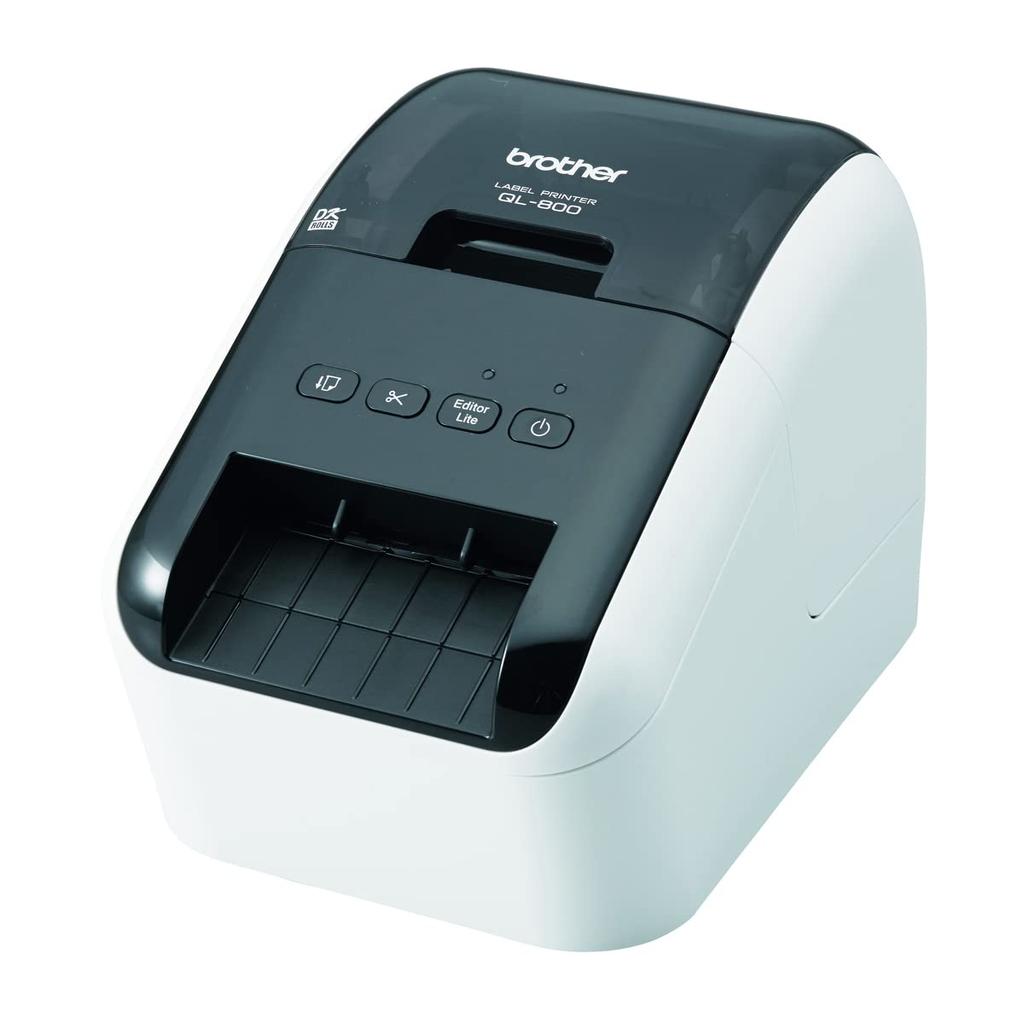
◆ Thermal label printer ideal for address labels and bar code labels
You can easily create bar code display labels such as address labels, sedge labels, product labels, identification labels, and specimen labels.
◆ Product points!
You can use it right away without the need for a driver installation!
P-touch EditorLite*1, a simple label editing software, is built into the machine, so you don't have to install editing software or printer drivers on your computer, so you can use it right away.
*1: Windows® Operating System Only
Eliminate wasteful tack stickers!
With a label printer, you can print even one print with your own printer, so you can eliminate wasteful tack stickers.
DK labels/tapes are easy to install!
It's easy to think that it's hard to change the paper with a label printer, but the DK label/tape is a cassette type, so it's easy to attach to the main body. In addition, the installed paper size is automatically recognized on the body side, so there is no need to fine-tune the margin.
Product Dimensions 21.3 Depth x 12.5 Width x 14.2 Height cm
Maximum print media size of 3 x 5 inches
Included Components Labels
Print Media Banner Paper
Scanner Type Portable
Supported Devices Desktops, Laptops
Sheet Size 2.3 to 6.2
Manufacturer Brother Industries
Product model number QL-800
It was discontinued by the manufacturer. No
color white
Form Factor Printers
Voltage 100 volts
OS not_machine_specific
Included Battery No
Product Weight 1.15 Kilograms


![BROTHER PC Address Label Printer Product [Brother] QL-800](https://img.joomcdn.net/44652214d6fb556e85cb54fec77b6572aca039dd_100_100.jpeg)


![BROTHER PC Address Label Printer Product QL-700 [Product]](https://img.joomcdn.net/eb1b47e63e226331ae96cec004e48ad5e664b320_64_100.jpeg)